Free MotoGP Graphics Maker: Inside MotoSector's Studio Tool
Every race weekend, the same problem hits journalists, YouTubers, and social media managers at the same time: the race just finished, and you need a clean standings or podium graphic now — not after twenty minutes hunting for a Canva template that doesn't have current team colors or an up-to-date grid. MotoSector's Studio tool is built for exactly that. No design software, no template searching — pick your data, pick a layout, tune the styling, and export. Here's everything it can actually do.

Hamza Abrar
July 19, 2026
What You Can Build
Studio pulls from live MotoGP data, so whatever you're building is accurate the moment a session ends:
| Data source | What it covers | Good for |
|---|---|---|
| Session Results | Any finished session's classification | Post-race recap graphics |
| Championship Standings | Current title fight standings | Mid-week "state of the championship" posts |
| Predictions | Model win probabilities | Race-preview content |
| Sprint Points Standings | Sprint-specific points table | Sprint-focused recaps |
| Team Championship | Combined team points | Team-focused coverage |
| Constructor Championship | Manufacturer standings | Manufacturer/brand storylines |
| Fastest Lap | Session fastest-lap data | Highlighting a specific lap record |
| Race Status (DNF/DNS/DSQ) | Who didn't finish and why | "What went wrong" recap posts |
| Starting Grid | Qualifying-set grid order | Pre-race grid graphics |
8 Layouts, Built for Different Posts
The layout you pick changes what the graphic is actually good for:
| Layout | Best for |
|---|---|
| Leaderboard | Top 10/15/30 standings list |
| Table | Full data table with extra stat columns |
| Podium (Top 3) | Race winner graphics, includes a confetti effect |
| Grid (2-column) | Compact layout for tight spaces |
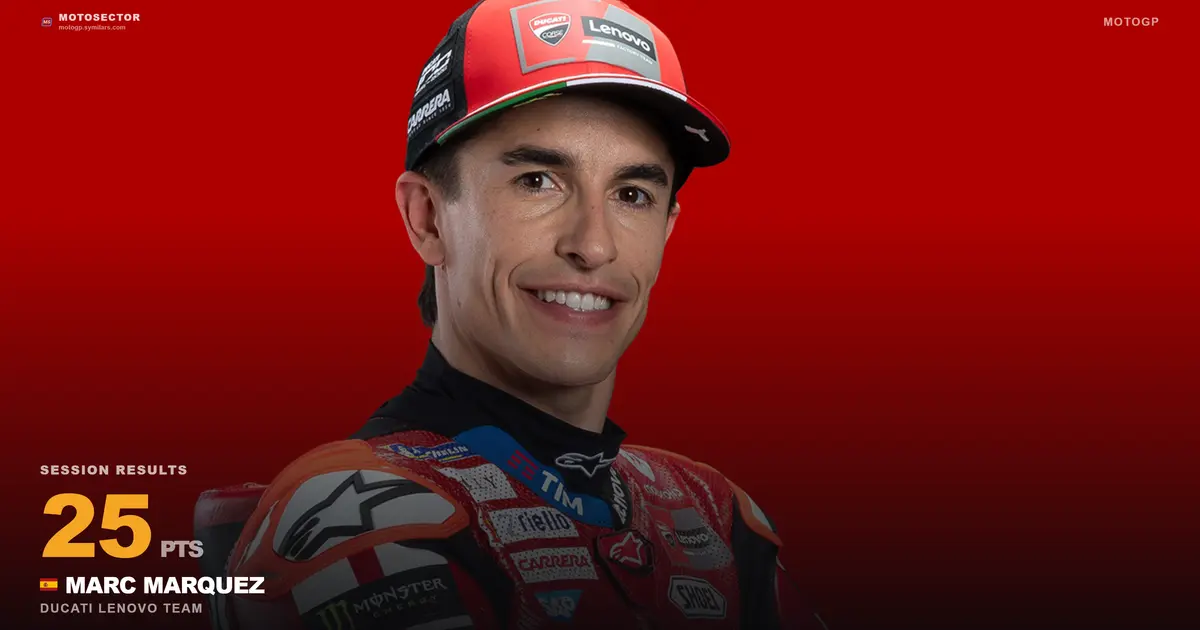
| Single Rider Spotlight | Rider of the Race, GP winner call-outs, contract news |
| Comparison (head to head) | Two riders side by side |
| Stat Highlight | One headline stat (e.g., "208 PTS") |
| Bar Chart | Visual comparison across riders |
Spotlight Presets for Big Moments
Four ready-made presets handle the posts you'll make most often: Rider of the Race, GP Winner (locked to P1), Contract Extension, and Team Transfer — the last one has a custom field for typing in the new team name, useful the moment a transfer breaks.
Making It Look Like Your Brand, Not a Template
This is the part that actually separates it from a generic template tool — everything is adjustable:
- Aspect ratios: Square (1:1), Portrait (4:5), Story (9:16), Landscape (16:9), Banner (3:1), or a fully custom size from 320 to 2400px
- Fonts: Default, Sans, Serif, Mono, or Condensed
- Backgrounds: solid color, six gradient presets (Brand Blue, Sunset, Ocean, Aurora, Fire, Carbon), automatic team color, or a number watermark
- Effects: None, Confetti, Shine sweep, or Glow
- Row count: 1 to 30 riders
- Stat fields: points, gap, best lap, top speed, tyres, status, wins, podiums, and more
- Toggles: branding watermark, country flag, team name
- Custom title text, accent color picker, and photo zoom/positioning controls
Practically: a Story-format (9:16) graphic for Instagram with your accent color and no watermark looks nothing like a Landscape (16:9) banner with the confetti effect — same data, completely different output, no separate tool needed.
Exporting and Sharing
| Action | What it does |
|---|---|
| Download PNG | Full-resolution image, ready to paste into an article or post |
| Export MP4/GIF | Client-side video export with wipe, fade, or zoom reveal styles |
| Copy link | Saves your exact graphic to a public /studio/p/{id} URL |
| Copy caption | Auto-generates social copy with rider names and positions |
| Share | Opens the native mobile share sheet |
The "Copy link" option is worth knowing about specifically: it generates a shareable URL with an Open Graph preview image attached, so when you paste that link into Twitter/X, Telegram, WhatsApp, or Facebook, the actual graphic renders as the link preview card — not just a plain text link.
A Real Workflow: From Chequered Flag to Published Post
- Race finishes — check the Results page for the official classification
- Open Studio, select Session Results, pick the Podium (Top 3) layout
- Switch to Story format if it's going on Instagram, adjust the accent color to match your brand
- Turn on the Confetti effect for a race win, download the PNG, and copy the auto-generated caption
- Post — or use Copy link instead if you want the graphic to double as a shareable link with its own preview card
Beyond Studio: Embeds and the Press Kit
Studio covers graphics; if you need a live, broadcast-style capture instead — for an explainer video or a "here's what the timing screen looks like" segment — MotoSector also has an embed mode that strips away all site navigation, plus a full press kit with logos, a fact sheet, and attribution guidance. That workflow is covered in detail in the companion piece on Studio exports, embeds, and the press kit — worth reading alongside this one if you're covering a race weekend start to finish.
Attribution: What's Actually Expected
MotoSector is an independent platform, not an official MotoGP or Dorna Sports product — so a few ground rules apply whenever you use its graphics or data publicly: credit MotoSector and link back, don't imply official affiliation with MotoGP or Dorna, and don't strip the watermark and present the graphic as original telemetry art without credit.
Who This Is Actually For
- Journalists and bloggers — publish a standings or podium graphic in the time it takes to write the headline
- YouTubers and social creators — Story (9:16) and Square (1:1) formats built in, no separate editing pass needed
- Team and fan accounts — Team Championship and Constructor data sources ready to go without building a table by hand
- Fantasy and prediction content — pull straight from the Predictions data source for pre-race content
FAQ
Is there a free tool to make MotoGP standings graphics? Yes. MotoSector's Studio tool builds standings, podium, and comparison graphics from live data, with no design software required.
Can I use MotoSector graphics on social media? Yes, with attribution — credit MotoSector and link back, and don't imply official affiliation with MotoGP or Dorna Sports.
Does the graphics tool support Instagram Story format? Yes, a dedicated 9:16 Story aspect ratio is built in, along with Square, Portrait, Landscape, Banner, and fully custom dimensions.
Can I export a video, not just an image? Yes. Studio supports MP4 and GIF export with wipe, fade, or zoom reveal animations.
How do I share a Studio graphic so the image shows up in the link preview? Use the "Copy link" option rather than downloading the PNG — it generates a public URL with an Open Graph preview image attached, so the graphic itself renders when pasted into Twitter/X, Telegram, WhatsApp, or Facebook.
Is Studio only for journalists? No — it's built for anyone publishing MotoGP content, including YouTubers, Instagram and TikTok creators, bloggers, and fan accounts, not journalists exclusively.
Build your first graphic free at MotoSector Studio, or start with the press kit for logos and attribution guidance.
Read More Relate Blogs
Have Questions About MotoSector?
Fill out the form below and we'll get back to you as soon as possible.
Symilars
Ready to build something that lasts?
We turn business goals into high-performance software. No fluff — just execution.
Get a Free ConsultationRelated Articles
MotoGP 2026 Predictions: How to Read Win Probability, Race Pace & Risk (Not Just Gut Picks)
Search "who will win the 2026 MotoGP championship" and you'll mostly get three things: a journalist's personal pick, a forum thread full of opinions, or a betting market price. None of those are actually analysis — they're a guess, a vibe check, or a crowd of bettors' collective wallet. With five riders separated by 24 points heading into the summer break, gut-feel picks aren't good enough this year. Here's what a real, data-driven prediction actually looks at.
6 min read
Real Estate Agent Website Features Checklist for 2026
A complete checklist of the real estate agent website features that actually generate leads, from IDX search to trust signals and SEO fundamentals.
8 min read
Agency Abandoned Your Project? Warning Signs to Watch For
Something feels off with your agency, but you're not sure if it's a busy week or true abandonment. Here's how to tell, document, and act before it's too late.
8 min read